



Updated October 1, 2026. This comparison uses current official feature and support documentation, with AI-assisted research and writing. GadgetsFocus did not conduct hands-on comparison tests or measure time savings for this article.
Check these four requirements first
A feature demonstrated on another person’s phone may be missing from yours. Complete these checks before treating an advertised AI capability as a reason to change phones:
- Device: Check the exact model. Apple’s current Apple Intelligence requirements include iPhone 15 Pro and Pro Max, iPhone 16 models or later, and iPhone Air. Samsung offers different AI features on different Galaxy models; consult the support page for the feature you need.
- Software: Check the OS and app versions. Apple’s latest feature set is documented for OS 27, with earlier features also supported from OS 26. Samsung’s overview states One UI 6.1 or higher on compatible devices, but that does not grant every newer feature to every phone.
- Language: Check the specific feature’s language pair, including regional variants. General Apple Intelligence support is broader than Siri AI’s current English beta. A translation feature can have a different list from writing assistance.
- Country and account: Check the country, account region, account sign-in and any carrier restriction. Samsung documents feature differences by region, software, device and carrier. Apple also lists regional restrictions.
Which features match your daily tasks?
| Your task | Apple Intelligence | Galaxy AI | Check before relying on it |
|---|---|---|---|
| Translate a call | Live Translation in supported Phone and FaceTime calls. | Live Translate in supported Samsung Phone and selected calling apps. | Language pair, app support, downloaded language resources and call connectivity. |
| Revise a message | Writing Tools for selected text; eligible Siri AI users have writing assistance too. | Writing assist or Chat assist through Samsung Keyboard. | Your actual app, keyboard, language and whether meaning survives the rewrite. |
| Look up an onscreen item | Visual Intelligence from a screenshot on supported iPhones. | Circle to Search on compatible devices and screens. | Internet access, screen-capture restrictions and accuracy of the visual match. |
| Review a recording | Notes transcription summaries in supported languages. | Transcript Assist in supported Voice Recorder and related workflows. | Recording consent, account/network requirements and comparison with the original audio. |
| Edit a photo | Clean Up and newer editing features where supported. | Photo assist, including Generative Edit where supported. | Cloud requirements, usage limits, export changes and preservation of the original. |
| Manage notifications or personal information | Notification summaries; personal-context requests in eligible Siri AI beta. | Features such as Now Brief where supported. | The feature’s actual scope; these are not interchangeable assistants. |
The following sections link the official instructions for each task. Read them against your own settings rather than assuming that a checkmark means identical results on both platforms.
Calls and translation: both platforms have real options
It is outdated to say Apple Intelligence cannot translate phone calls. Apple’s Live Translation instructions cover Messages, Phone and FaceTime and describe local processing. The Phone user guide specifies one-on-one calls and supported language variants, including Brazilian Portuguese and Spanish from Spain. Download the input and output languages before a call.
Samsung’s Call assist guide explains how to enable Live Translate and choose languages for each caller. Its feature terms distinguish local translation from the network connection needed to receive call content and note language downloads and account requirements.
A useful check before travel
Find your exact language pair in the feature settings, complete downloads and try a short, non-sensitive conversation with another person. Check names, addresses and numbers against the original speech. The useful result is whether your conversation works, not which brand has the longer generic language list.
Writing: check the app and keyboard you use
Apple’s Writing Tools guide describes proofreading, rewriting and summaries in most places you write, including compatible third-party apps and websites. Users of Siri AI have a related Write with Siri workflow. Do not assume that every editable field exposes every option.
Samsung’s Writing assist instructions use Samsung Keyboard and include tone changes, spelling and grammar assistance, translation and composition. If you prefer another keyboard, verify how the desired feature appears in your normal app before deciding it is a daily benefit.
Try a draft you could safely share, then compare the revised version sentence by sentence. Keep a rewrite only if it preserves the request, dates and intended tone. An attractive phrase that changes your meaning adds work.
Visual search and photo editing: compare separate tasks
Samsung’s Circle to Search guide says to hold the Home control and select an item. It requires the internet and does not work in apps that prohibit screen capture. Apple’s onscreen Visual Intelligence guide uses the screenshot gesture and offers tools such as visual search or creating a calendar event, depending on the content. iPhone users therefore do have an onscreen discovery option.
Searching for a product and changing a photograph are different decisions. Samsung’s Gallery guide documents Generative Edit, account and network requirements, a generated-image watermark and export resizing up to 12MP. Apple’s current feature list includes Clean Up and newer photo editing, with daily limits for certain server-dependent features. Neither description proves that one platform produces cleaner edges or more realistic results.
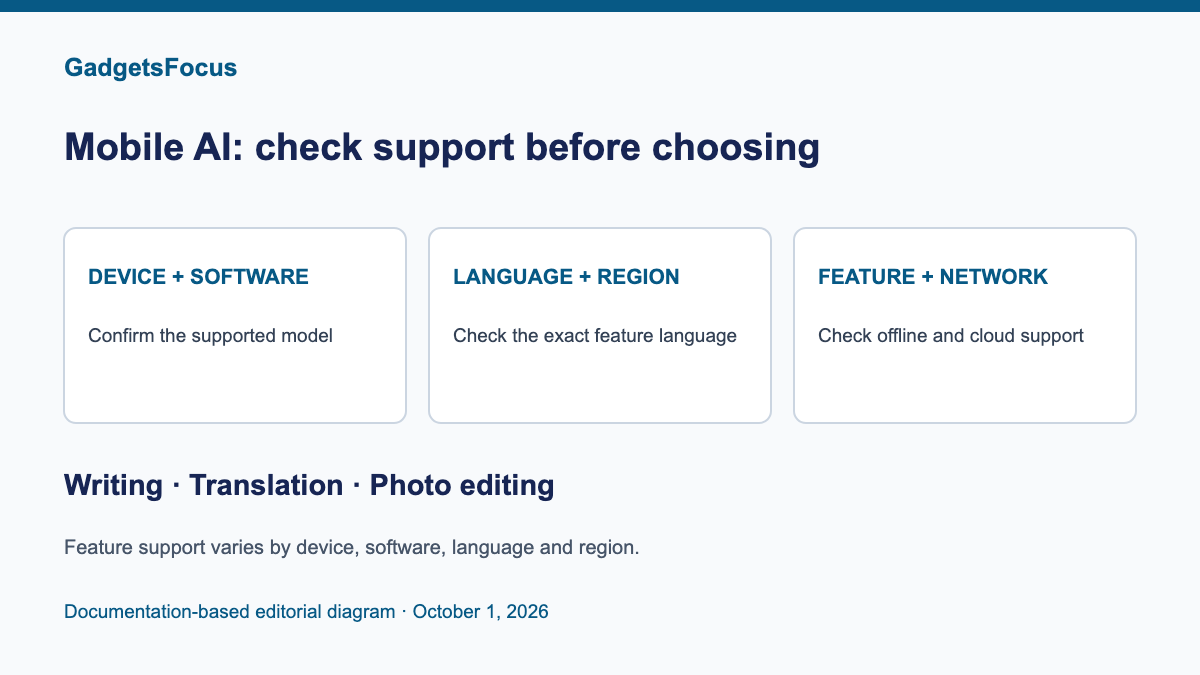
For an editing comparison, use the same source image and inspect the changed area at full size. Keep an original copy and describe a generated or materially altered image honestly when sharing it. The featured diagram summarizes feature eligibility checks.
Recordings and notifications: summaries need checking
Samsung’s Voice Recorder guide documents transcription, translation and summarization, plus reviewing text alongside audio. Its Transcript Assist terms require a network connection and Samsung account for transcription and summaries. The earlier claim that all this processing is offline was too broad.
Apple lists Notes transcription summaries with specific language variants in its availability guide. A summary is useful for locating a passage, but check who agreed to do what and when against the transcript or recording. We have not measured speaker recognition or accuracy in noisy rooms on either platform.
For notification triage, Apple’s notification guide explains app-level summaries, priority notifications and Reduce Interruptions Focus. Enable summaries for a few chosen apps and decide whether they make your own messages easier to scan. There is no verified consumer notification statistic or time-saving percentage behind our recommendation.
What is available with Siri AI right now?
As checked October 1, 2026, Apple’s Siri AI support article, dated September 22, describes an English beta for OS 27. Its documented capabilities include personal context, onscreen awareness and app actions. Setup includes a waitlist; these capabilities are not automatically available to every Apple Intelligence user.
Apple says Siri AI is unavailable on iOS, iPadOS and watchOS in the EU, while eligible Mac and Vision Pro users there can use it with the required English settings. An Apple Account in mainland China is also ineligible. Device eligibility and general Apple Intelligence language support should not be used to promise immediate Siri AI access in your country.
For Samsung, Now Brief’s documented conditions include device, language, country and app differences; some functions need a network connection. A generated daily brief is a different task from Siri’s personal-context search. Evaluate the individual workflow instead of calling the assistants equivalent.
Which platform should you choose?
If your main tasks are already supported on your current phone, start there. Write down two or three recurring jobs, verify their availability and compare the number of steps and the amount of correction you need. If a feature is unavailable in your language or country, remove it from your buying decision today.
If local processing is essential, check the feature’s boundary. Samsung provides Process data only on device for its Galaxy AI features, but cloud-dependent functions become limited. Apple mixes local processing, Private Cloud Compute and optional external services. Our AI architecture and privacy comparison explains why a suite name alone cannot establish where every request goes.
The best fit is the platform that supports your tasks under the conditions you actually have. A marketing demonstration or a longer feature list cannot establish a measured productivity advantage.
Correction note, October 1, 2026: Removed implied hands-on testing, unsupported performance judgments and consumer statistics. Corrected Apple call translation and onscreen search, Samsung cloud-dependent transcription/summaries, and current Siri beta requirements. Sources were checked for this update; features, availability and terms can change.
About GadgetsFocus · Editorial standards · Suggest a correction